Showing posts with label modding rokr. Show all posts

Step by Step Modding Rokr E6

i just update little basic instruction on Modding Rokr E6
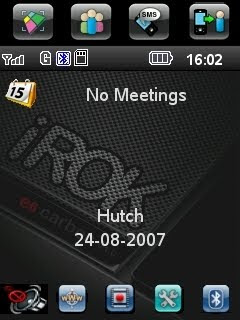
modding ROKR
This guide will teach you how to flash/flex your Motorola ROKR E6 using RSD Lite. before that, did you has read Rokr E6 Transformer?? see here

Start your phone up in boot loader mode. To do this, hold down the camera button (top on the right side of the phone) and the Red power button at the same time. Your phone will boot up with a red screen which will say something similar to:

FLASH_KEY_PRESS
Boot Module:
BOOT_G_00.02.21P_MACAU

MBM FLASH MODE


Now, connect your phone to your PC. You will see a Found New Hardware message with the Motorola Flash Interface, and perhaps a couple others.

Assuming you installed the drivers in the Get Connected section, you will then see the Your new hardware is installed and ready to use. message. If not, point Windows to your P2k drivers on the comp.

Open RSD Lite. I am using RSD Lite 3.5 in this tutorial, but I'm fairly sure anything 3.0 and up will work, maybe even previous versions. You should see a Model of NS Flash Bulverde and it should say Connected....

Click the ... button by the Filename menu and navigate to your firmware version you are installing. In this tutorial I am flashing R533_G_11.12.08P. (If you'd like to know what version you have, click here to find out how.) Once you have the file selected (make sure its unrar'ed), click Start.

Your phone will now look like it is off. Its not, don't worry--there just isn't any screen which indicates your upgrading the software. Watch RSD Lite as it goes through its motions so you know where you're at in the process. The entire process of the flash took me about 10 minutes, give or take.

The phone will hang out at 99% for a long time--over a minute for mine. Don't worry, its fine. It will then reboot, and go through another few processes.

Assuming all went well, you will then see a PASS in RSD Lite. you can search by nowGoogle.com adalah Multiple Search Engine Popular


Congrats! You have successfully flashed your Motorola ROKR E6!
Posted on 10:56 PM / 2 comments / Read More

Modify Boot Image Hellomoto when phone power on

motorola boot imagesimple tutorial on how to modify rokr e6 or motorola A1200 (that call motoming) Boot Image Hellomoto when phone power on. Boot Image is a first image that appear before splash animation display when power on phone. It is a GIF 89a image encoded to smg file. pack/unpackBootImage.pl is perl scripts that use to packing and unpacking gif image from and into smg file.

Requirements.
1. Perl Interpreter from ActivePerl

How to unpack bootimage.smg to gif image.
1. rename cg file to bootimage.smg
2. put pack/unpackBootImage.pl into the same folder as bootimage.smg.
3. double click on unpackBootImage.pl to extract smg file.
4. 2 files should apprear in bootimage folder. bootimage.gif and cgversion.txt bootimage.gif is a gif image file. cgversion.txt is a text file that indicated version of your cg.

How to pack gif image to bootimage.smg
1. check in bootimage folder that It have bootimage.gif and cgversion.txt.
2. double click on packBootImage.pl
3. new bootimage cg file should be in new_bootimage.smg.

PS. you can get bootimage.smg from firmware by use sbf codec extract cg39 from E6 and A1200 f/w.

Download
BootImagePackager_1.0.zip
Posted on 11:38 PM / 1 comments / Read More

Motorola Rokr E6 Transformer Modding

The Motorola Rokr E6 Transformer

rokr e6 transformer

Transformer mania has officially taken hold of the world. The Optimus Prime Case Mod should have been a clear warning of what was to come. And now, a clever Motorola Modders has turned his MOTOROKR E6 into a fully functional transformer cellphone.

Whoever could have predicted that a camera phone lens could work so well as a robotic head? This bad ass mod is sure to light a fire of envy under the asses of those who have wanted to create a truly elite phone mod. Bow down and weep, bitches. More after the jump.

motorola

07.jpg

08.jpg

rokr e6


Posted on 11:30 PM / 0 comments / Read More

Modding Rokr E6

MPKG AND LINLOADER

hi...dear motomodder
this simple step by step to modding moto rokr e6
this step very different to another motorola like E398, motorola clutch 1465, FR68, razr v3 etc
Lets Rokr :

Before you can install many programs on your phone you will first need to install the following 2 pieces of software that will permit you to install other software.

* MPKG - a package installer that will allow you to install executable app packages of type **.pkg (similarly to a java app installer). Once MPKG installer is installed you can copy files of type *.pkg to the root folder of your SD card, then install them by opening the File Manager application on the phone, go to the system folder, tap and hold the stylus on the *.pkg file and a small menu should pop up. Choose 'open with' and then choose the "MPKG" app. This will install the app and let you see it and run it from the phones Application Launcher
* Linloader - this is a program used to run shell scripts. Most of these scripts have the extension **.lin. Once linloader is installed these shell scripts are run by opening the File Manager application on the phone, go to the folder where you have the shell script you want to run, click and hold, choose 'open with' and then choose the "loader" app.

How to Install MPKG

Get the MPKG Installer “Mpkg for E6” file from here then do the following:

1. Unrar the file. You will see it consists of a folder called .system.
2. Plug in the phone, then use Windows Explorer to copy the entire old .system folder from the SD card to a safe place on your PC (so can recover if necessary). [If you can not see the .system file then you do not have “View hidden files” on].
3. Copy the entire .system folder from the rar file to replace the one on your SD card.
4. Unplug the phone from the PC and restart it. You should see a MPKG icon under Application Launcher on your phone.
5. You NEVER run this program directly by clicking it - rather you open other files that have an extension of *.pkg by holding the stylus on those files until a small menu displays. Select “Open With” and select MPKG. You should hear a bell indicating the program has loaded.

[If you have already installed some programs on your SD card before installing MPKG then you should uninstall then before doing the above otherwise you will not be able to access them anymore (phone doesn't find them). You can reinstall them when complete]


If when you install MPKG, and then you copy a xxxx.pkg file to your phone and try to open it wiht MPKG, but get the error message "Invalid application" - then it did not install properly. Try the other install method listed below.

How to Install Linloader

This is the program that users have the most problems getting to install correctly - which may have to do with the version of firmware running on the phone. As a result there are several different methods for installing it described in the threads - as well as different versions of the mpkg and linloader download file that people say to use. An alternate method is also described.

MPKG must be installed first as you need mpkg to install linloader.

1. Download the loader file from here
2. Copy the file to the root folder of your SD card (Make sure extension says .pkg - not .mpkg)
3. Unplug the phone from the PC then use the phone's File Manager to find the file.
4. Hold the stylus on the file until a small menu displays. Select “Open With” and choose MPKG. You should hear a bell indicating the program has loaded.
5. Turn the phone off and on and you should see a Loader icon (a yellow smiley) appearing under Application Launcher.

Alternate Method

This method seems for some

1. Try a different MPKG installer - download the MKPG installer attached in topic "Yan's mkpg and linloader.mkpg installer"
2. Follow the instruction given above to install it.
3. There is a modified mkpg.lin file attached in topic "Volume Increase". Copy that file and overwrite the mkpg.lin on your phone which is from yan's mkpg installer. (Not sure this step is necessary - but can not hurt!!)
4. Download the LinLoader.mkpg attached in topic "Yan's mkpg and linloader installer".
5. Rename LinLoader.mkpg to LinLoader.pkg before copying it to your SD card.
6. Follow steps 3-5 as above

that's it


Posted on 8:02 PM / 0 comments / Read More
 
Copyright © 2011. Hellomotto . All Rights Reserved
Home | Company Info | Contact Us | Privacy policy | Term of use | Widget | Blogger Nusantara Blogpreneur Indonesia